Free Reseller Spreadsheet
A simple, opinionated spreadsheet for tracking sales, expenses, fees, and profit as an eBay seller.
Download the Reseller Spreadsheet
Built for sellers who want clarity, not complexity. Works in Excel and Google Sheets.
What this spreadsheet helps you do
- Track every sale in one place
- See true profit after fees, tax, shipping, and COGS
- Understand cash flow instead of guessing
- Spot problems early before they compound
Inside the spreadsheet
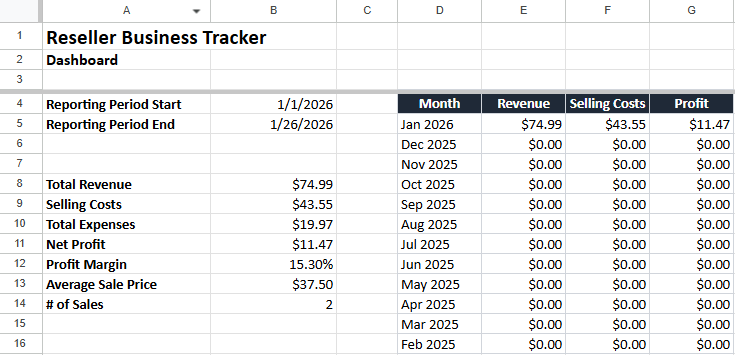
Dashboard
High-level view of revenue, selling costs, profit, and margins.
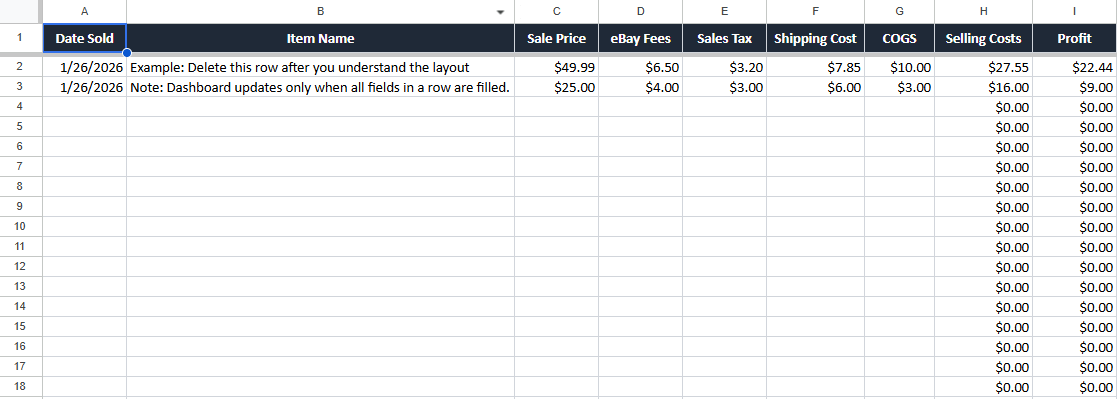
Sales Log
Track each sale with fees, tax, shipping, COGS, selling costs, and profit.
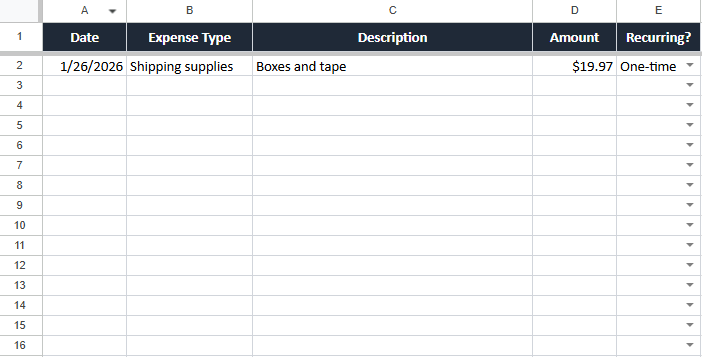
Expenses
Keep operating expenses separate from selling costs.
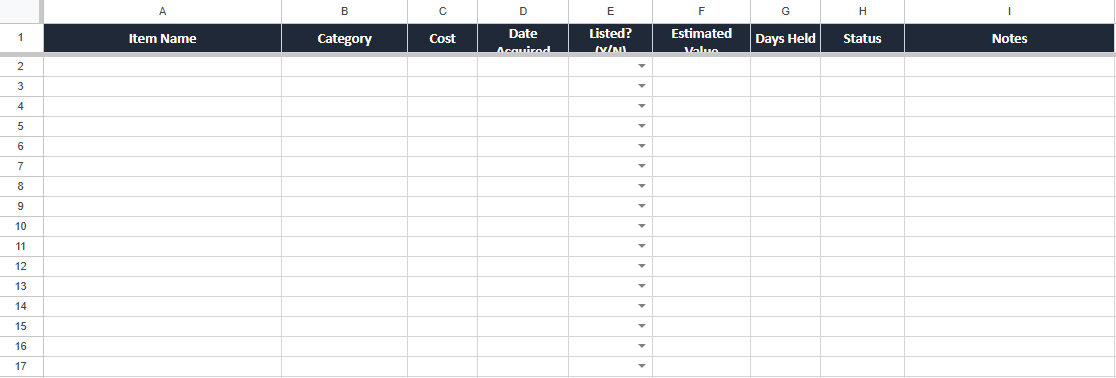
Inventory
Snapshot what you have, what it cost, and what needs to move.
Who this is for
This spreadsheet is for eBay sellers who already sell — or plan to sell — consistently and want fewer surprises.
If you’re tired of guessing your profit, wondering where the money went, or realizing too late that inventory mistakes compounded quietly, this will help.
We will never sell your email or spam you. This spreadsheet is free, and access is instant.
FAQ
Is the reseller spreadsheet really free?
Yes. Enter your email and we’ll send it instantly.
Does it work in Excel and Google Sheets?
Yes. You can use it in Excel, or upload it to Google Drive and open it with Google Sheets.
What should I track in it?
Track each sale, item cost (COGS), shipping cost, fees, and any other costs. The spreadsheet helps you see profit and cash flow clearly.
Do I need accounting experience to use it?
No. It’s designed to be simple and practical — just enter the numbers you already have from each sale.
Will you spam me?
No. You’ll get the spreadsheet and occasional eBay selling resources. Unsubscribe anytime.